Stop running the business in WhatsApp.
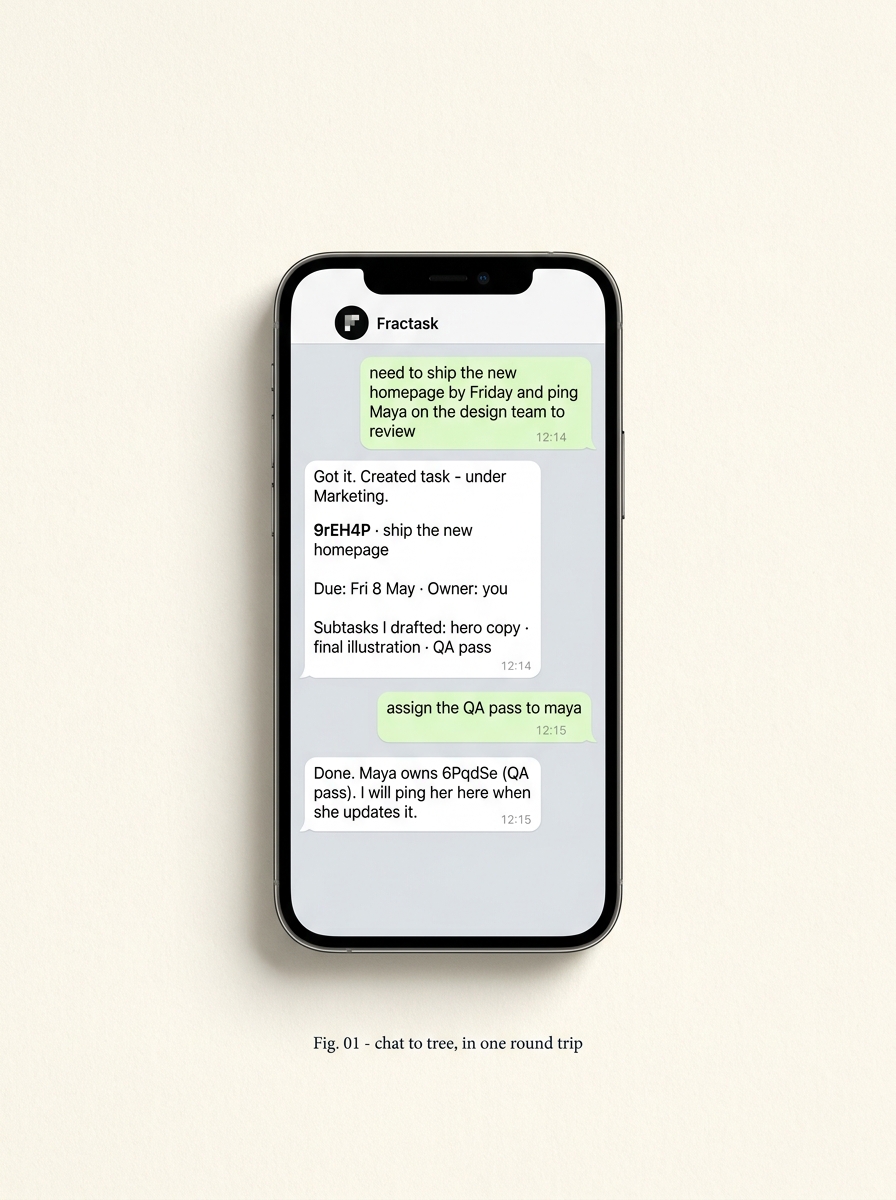
For most teams in Tel Aviv, Beirut, São Paulo, Lagos, Mumbai — WhatsApp is the operating system. Customers, suppliers, the cousin who does logistics. Nothing leaves the chat. Fractask × WhatsApp moves the work out without making anyone change apps. Forward a message, get a task. Mention the bot in a group, capture the action items. Assign back to the chat — owner gets a ping where they already live.
The chat stays.
The chaos doesn’t.
Add the Fractask number as a contact (or invite the bot into a group). Forward, mention, or just talk to it. Every message lands as something you can find at 6pm on a Tuesday — not a screenshot your assistant has to dig for.
Built on the official WhatsApp Business API. No third-party scrapers, no “sign in with QR every Friday”. Numbers stay yours.
Five concrete things. No new app to teach the team.
- 01
Forward → task.
Long-press a message, forward it to Fractask. The bot reads it, creates a task in the right project, and sends back the ID and a link. Replies threaded on the original chat update the task.
- 02
Mention in groups.
Add the bot to a customer or supplier group. Tag it on a message — "@Fractask follow up Tuesday" — and you get a child task with the right context, owner, and due date. Quietly. The group keeps moving.
- 03
Assign back to the chat.
When someone is the owner, they get a WhatsApp message — not an email, not a Slack ping no one reads. Reply done, the task closes. Reply with a date, the due date moves.
- 04
Daily digest.
One message a morning: what is doing, what is open, what fell over yesterday. Same place you read everything else. No new tab, no new login.
- 05
Voice notes work too.
Send a voice memo. The bot transcribes it, files it as a task, keeps the audio attached. Hands-free capture without leaving the conversation.
Plain-text in. A real tree out.
Inbound messages hit a webhook on the WhatsApp Business API. A small agent reads the text (and any attached voice or image), looks at your existing task tree for context, and calls the same MCP toolset any other agent uses — create_task, update_task, move_task.
The bot picks a parent project the way a person would: by reading the conversation. If it’s wrong, you reply “move that to Sunbek/Logistics” and it does. The conversation is the correction loop.
Outbound notifications — assignments, daily digests, status nudges — go back through the same number. Owners answer in the chat they were already in. Replies feed straight back into the tree.
The tree is the source of truth. The chat is the steering wheel.
We turn it on for one team at a time.
Tell us your numbers, your languages, and the three workflows that live in WhatsApp today. We’ll get the bot answering in your group by the end of the week.