Fractask
(fractal + task)
Get shit done with your AI partner.
Five rules. One open-source tool.
What is
Fractask?
Fractask is a way to get things done with your AI — built for the hybrid world where humans and bots work side by side, not one behind the other.
Start with a goal. Anything you actually want to do — plan a wedding, ship a website, hire your first employee, move countries.
You and your AI break the goal into smaller parts. Then break those into smaller parts. Keep going until each part is something one person can finish in one sitting. Three at a time keeps it readable.
Anyone in the duo picks a part and does it. Human or bot. Files, comments, and pinned prompts live on the part itself, so the next session — human or agent — picks up cold.
Together, you build something real.
Same shape,
every scale.
A fractal is a pattern that repeats at every level. Zoom in on a coastline and you see smaller coastlines. Zoom in on a tree and you see smaller branching trees. Zoom in on a snowflake and you see smaller snowflakes.
The same rule, applied again and again, builds infinite complexity out of one simple instruction.
Work breaks down the same way. A goal contains projects. A project contains tasks. A task contains sub-tasks. The same rule — break by ~3, until every part is actionable — applies at every depth.
That’s why it’s called Fractask.
Benoît
Mandelbrot.
The Polish-French-American mathematician who coined the word fractal in 1975. He saw self-similarity everywhere — in cotton prices, mountain ridges, coastlines, lightning bolts, the human lung. Where most mathematicians saw mess, he saw patterns nested inside patterns.
His most famous discovery — the Mandelbrot Set — is the canonical fractal. Zoom in forever and you keep finding the same intricate detail. One equation, infinite depth.
“Clouds are not spheres, mountains are not cones, coastlines are not circles, and bark is not smooth, nor does lightning travel in a straight line.”
He gave us the language to see the world as it actually is: recursive, repeating, nested. Fractask carries that vision into the work you do every day.
A whole tree. One screen. Either of you.
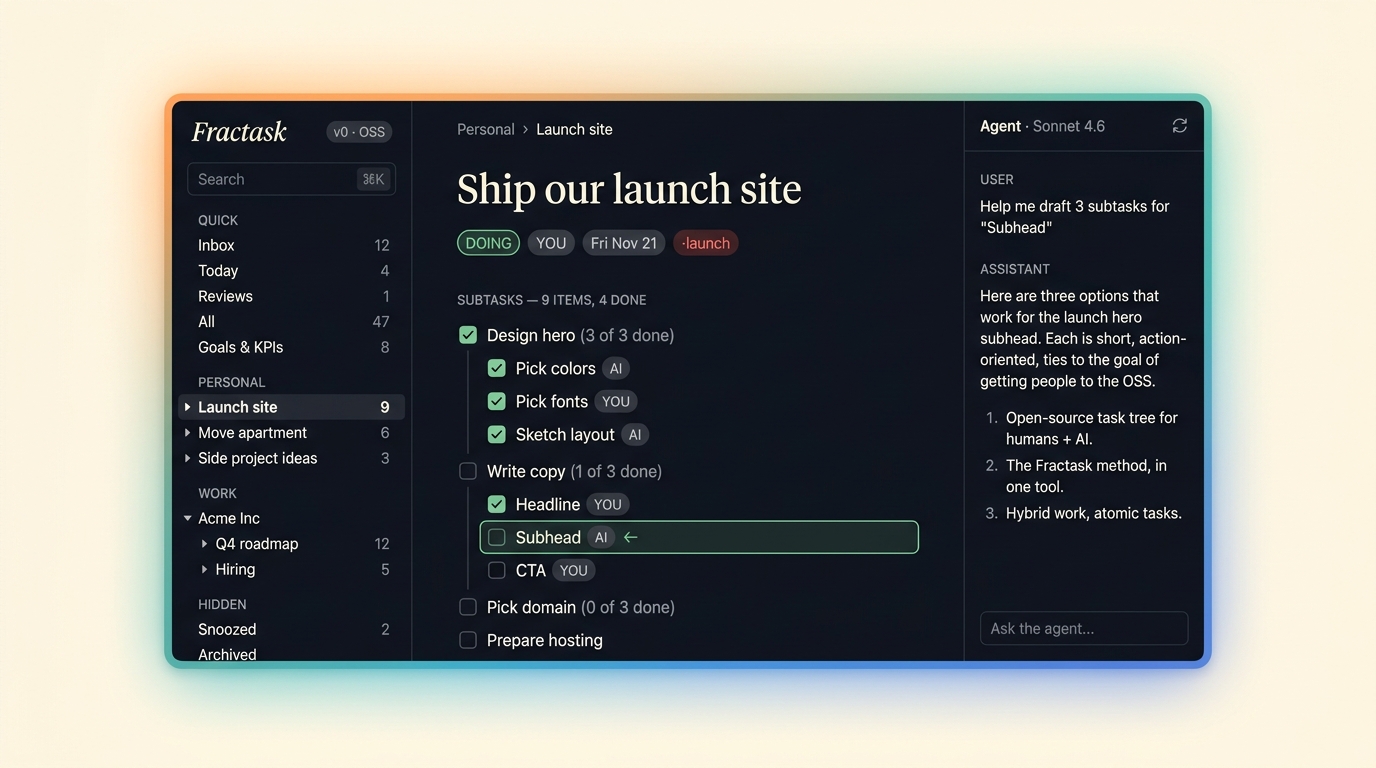
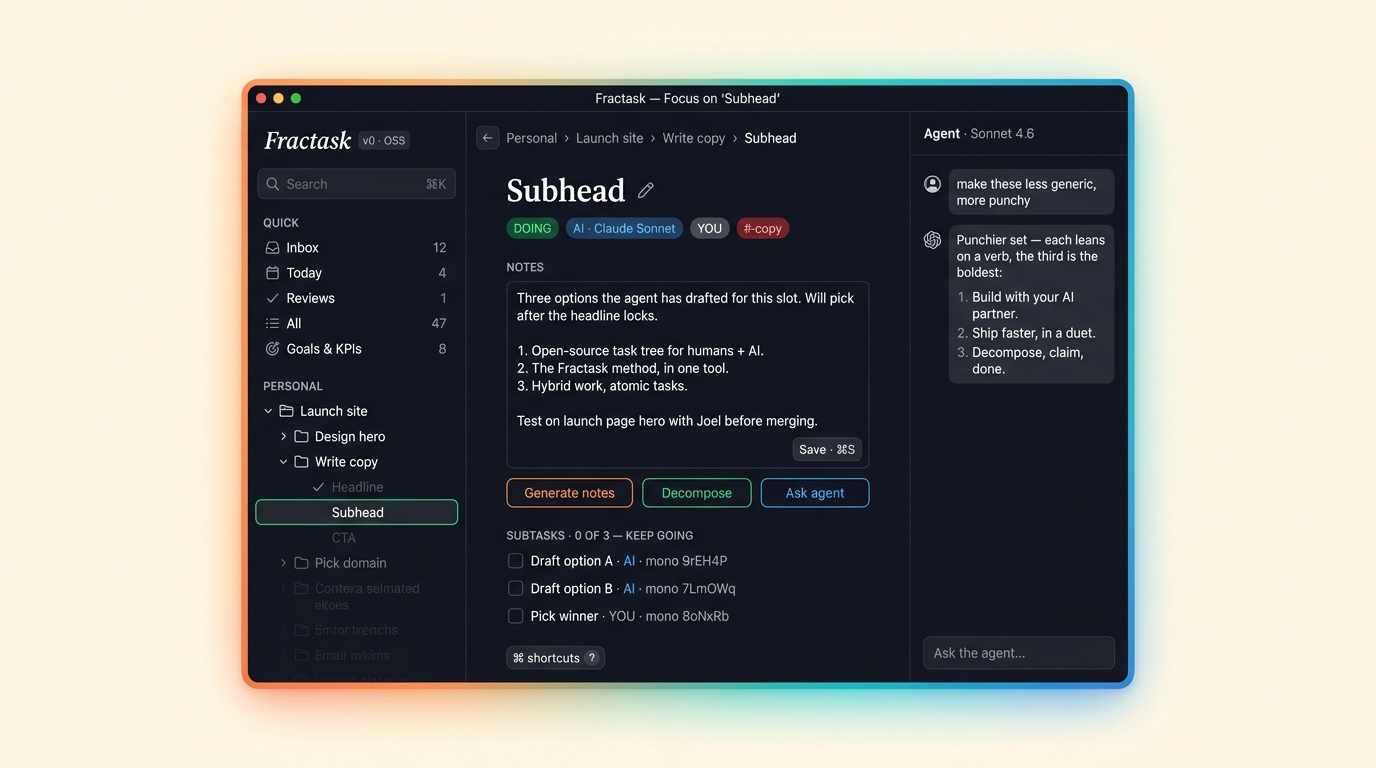
From a goal in your head to a thing that exists.
- 01
Drop in your goal.
One sentence. Anything. Fractask doesn’t care if it’s big or small.
- 02
Break it down — together.
Your AI proposes parts; you accept, edit, or rewrite. Three branches, three sub-branches, as deep as you need.
- 03
Pick what you can do.
The bot picks the boring parts. You pick the hard ones. Or vice-versa. Either of you can claim any part.
- 04
Files, comments, prompts stick to the part.
Drop a doc or screenshot; agents attach by URL straight from a tool call. A single comment thread runs alongside for status and review. Pinned prompts hang on the same task. The next session opens it informed.
- 05
Done is done.
Mark it done. Move on. The tree shrinks. The thing exists.
What kinds of things live in Fractask?
Five shapes. Every node in the tree is one of these.
entity
the trunk. A company, an area, a side-project. Holds everything below.
“Acme Inc”, “Personal”, “Newsletter”.
project
a piece of work big enough to break down. Lives under an entity.
“Ship the new homepage”, “Hire a designer”.
task
an actual to-do. One shippable thing. The leaves of the tree — this is what gets pulled and done.
“Draft hero copy”, “Buy the domain”, “Review the PR”.
goal
what “done” looks like. A qualitative outcome attached to a project or entity. Goals aren’t checked off when work is finished — they’re satisfied when reality matches the words.
“Onboarding feels frictionless”, “Hero copy is sharp enough to ship”.
kpi
a measurable check-in. Combine with a recurrence (every Monday, 1st of the month) to make it a heartbeat. Forces a regular look at the number.
“Weekly active users”, “Cash runway”, “Customer reply time”.
Pass it back and forth.
Your AI doesn’t ask in chat. It pins a question to the task and ends its turn. You answer when you’re ready. It picks back up where it left off.
text
open answer
choice
pick one (or many)
- ◉ ship friday
- ○ ship monday
- ○ hold a week
approval
yes / no
pick image
tap one
comments
non-blocking · the thread
One ordered markdown thread per task — status notes, review feedback, “I tried X and it broke.” The agent reads the tail before it acts.
prompts
blocking · the inbox
Pinned questions that flip the task to needs you and stop the agent until you answer. Decisions live here, not in the thread.
Where each part actually is.
Seven words. Every task is in one of them. Four for the active path, three for everything you’ve parked.
- opennext up
Broken down enough to do, waiting to be pulled. The default for anything new. Either of you can claim it.
- doingin motion
Someone has it. One owner at a time — human or agent. When the agent claims a part it lands here; when you start one, the same.
- needs youwaiting on a human
The shared inbox. Your agent doesn’t ask in chat — it pins the question to the task and ends its turn. Approvals and questions both live here. You answer, the agent picks back up.
- doneshipped
The thing exists. Marked by you (or by the agent if you delegated). The branch shrinks; the goal moves a little closer.
open → doing → needs you → done. Tasks bounce between doing and needs you as often as they need to.
- backlognoted, not now
Real work, no schedule. "We should do this someday" without cluttering today. Each parent has its own collapsible backlog so the idea doesn’t get lost.
- snoozedhidden until a date
Like backlog, but with a *when*. Wakes itself on the date you set and reappears in the queue. For things that depend on the calendar — after the launch, next quarter, in two weeks.
- archiveddead
Won’t happen. Kept for the record, not the queue. The receipt of a decision, not a to-do.
backlog is a first-class state, not a hack. “Noted, not now” is how most real ideas live before they become work.
Knowledge that outlives the chat.
The brain is the durable layer. Notes you write once and any session — human or agent — opens before touching the work.
personal
global · ungrounded
Your own playbook. Prompt templates, reading notes, half-formed ideas — anything not yet tied to a specific entity or project.
“Cold-email opener I keep coming back to.”
entity
scoped to a trunk
Standing knowledge for the whole entity. The brand book lives on the brand. The hiring bar lives on the company. Read once, applies everywhere downstream.
“Acme — brand voice, vendor list, hiring criteria.”
project
scoped to the work
Notes that exist because this project does. The brief, architecture decisions, links to external references. The next agent on this project reads them first.
“New homepage — IA decisions, copy direction, asset links.”
comments capture the conversation.
notes capture what’s worth keeping.
The tree and the brain share one graph. Open a project and the brain link lives in the header — every note scoped to that project, one click away.
Notes [[link]] to tasks. Task descriptions link back to notes. Tiptap rich text — headings, lists, code, inline images, attachments — with full-text search across the whole brain.
The discipline is to keep promoting: a useful answer in a comment → a note. A repeated agent instruction → a note. One-off decisions stay in the thread. Standing knowledge moves into the brain.
Update the brand voice on the brand entity. The next agent picks up an ad-creative task under that entity and reads the new note as context — without anyone pasting anything into a prompt.
The whole method, five lines long.
- Rule 01
Start with a goal.
One root. The thing you actually want. Everything grows downward from here.
- Rule 02
Break it down as a duo.
Decomposition is a conversation, not a monologue. You and your AI split it together — until every part is something you can actually do.
- Rule 03
Chunk by three.
Aim for ~3 sub-parts at each level. Three is what a brain can hold. Go as deep as the work needs.
- Rule 04
Anyone in the duo picks a part.
Human or bot. Pull the part you can do; let the other one pull what they can. Pulled work has an owner.
- Rule 05
Everything lives on the part.
Files, the comment thread, pinned prompts — they belong on the task itself. The next session picks up cold.
“Needs you” is where the duo meets — approvals from the human, questions from the agent, one inbox.
Fractask is open-source.
MIT-licensed. Runs on your laptop or any server. Works with Claude Code, Cursor, Claude Desktop, and any MCP-compatible agent. CLI, web, and MCP all share one task tree.
- · No accounts to start. Just clone, install, run.
- · Your tree lives in a SQLite file you own.
- · Sync across machines via Turso when you want.
- · A small set of MCP tools across four families: task tree, files, comments, human-in-the-loop.
~/projects/launch › pnpm install && pnpm --filter fractask/cli build
✓ ready
~/projects/launch › fractask add "ship the new homepage"
+ created  9rEH4P  ship the new homepage
~/projects/launch › fractask ls --tree
○ 9rEH4P  ship the new homepage
  ○ 7Lm0Wq  hero copy
  ○ 8oNxRb  3D animation
  ○ 6PqdSe  open-source feel
Or run it as an MCP server. Your agent calls create_task; the result lands in the same tree your CLI sees.
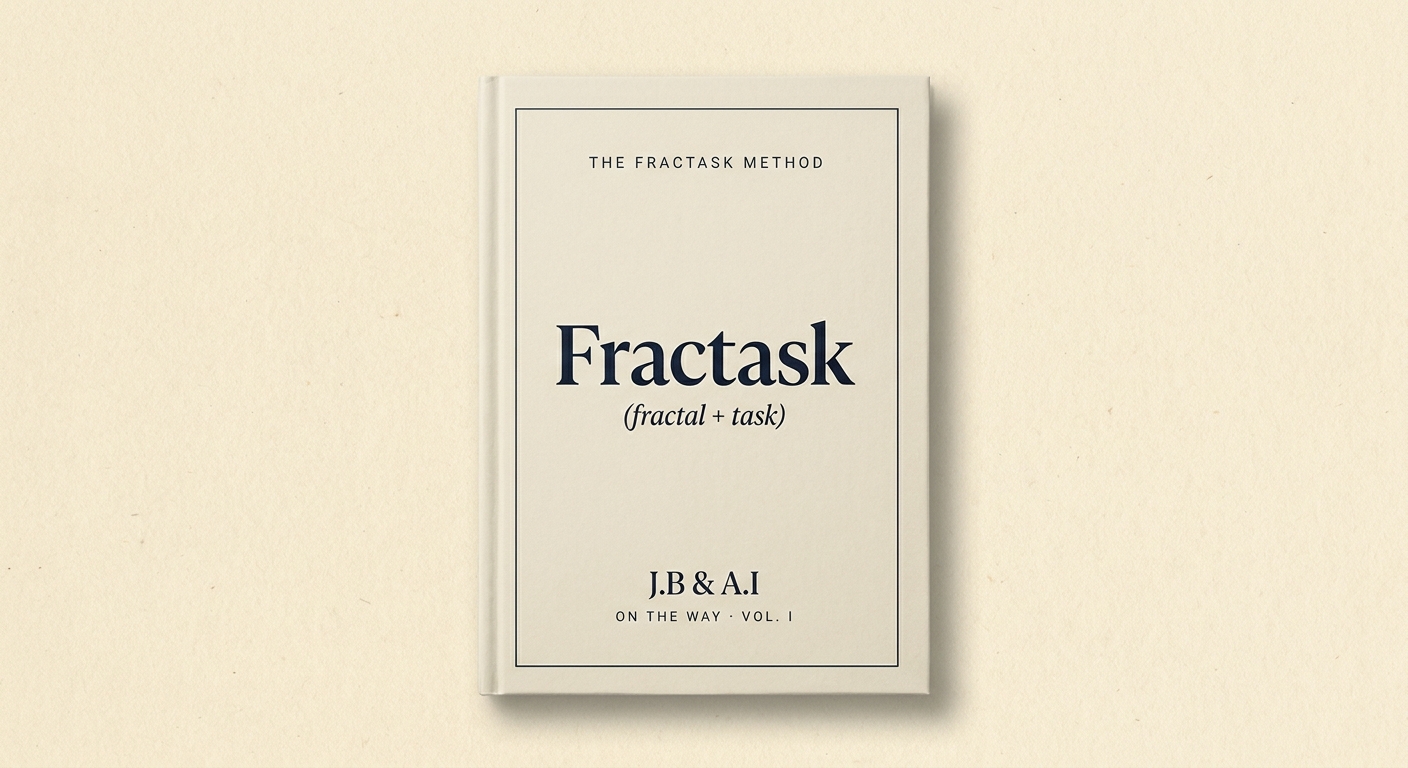
On the way.
The Fractask method in 30 pages. Where the idea came from (Kasparov, 1998 · Miller, 1956). What GTD got right. What it missed in the age of AI. A worked walkthrough. A short call to action.
Plug into the tools your work already lives in.
Three places agents already live. Each one becomes a node on the same tree your CLI, MCP, and web app see.
Stop running the business in WhatsApp.
Forward a message, mention the bot in a group — every chat thread becomes a tree on the side. Replies update the task. The thread stays the trail.
Read the page→Long-running agents that remember.
Hand a goal to a Hermes agent. It picks up tomorrow exactly where it left off, on the same tree — not a fresh tool loop with no memory.
Read the page→Give your browser agent a place to think.
OpenClaw drives the browser. Fractask holds the plan. Connect the two MCPs and computer-use finally has a memory.
Read the page→Run Fractask for your whole team.
Everything in the OSS, plus the things only a team needs. We onboard each team by hand.
Team trees
Share goals across the org. Owners, members, and bots all see the same tree.
Slack & WhatsApp
Ping a part to chat and it lands as a block. Reply to update. The thread is the trail.
Scheduled agents
Run an agent every morning. It picks up the parts it can do and reports back.
Hosted, signed in
Google login. Daily backups. We host it; you stay out of the way of the work.
Early access. We onboard each team by hand.